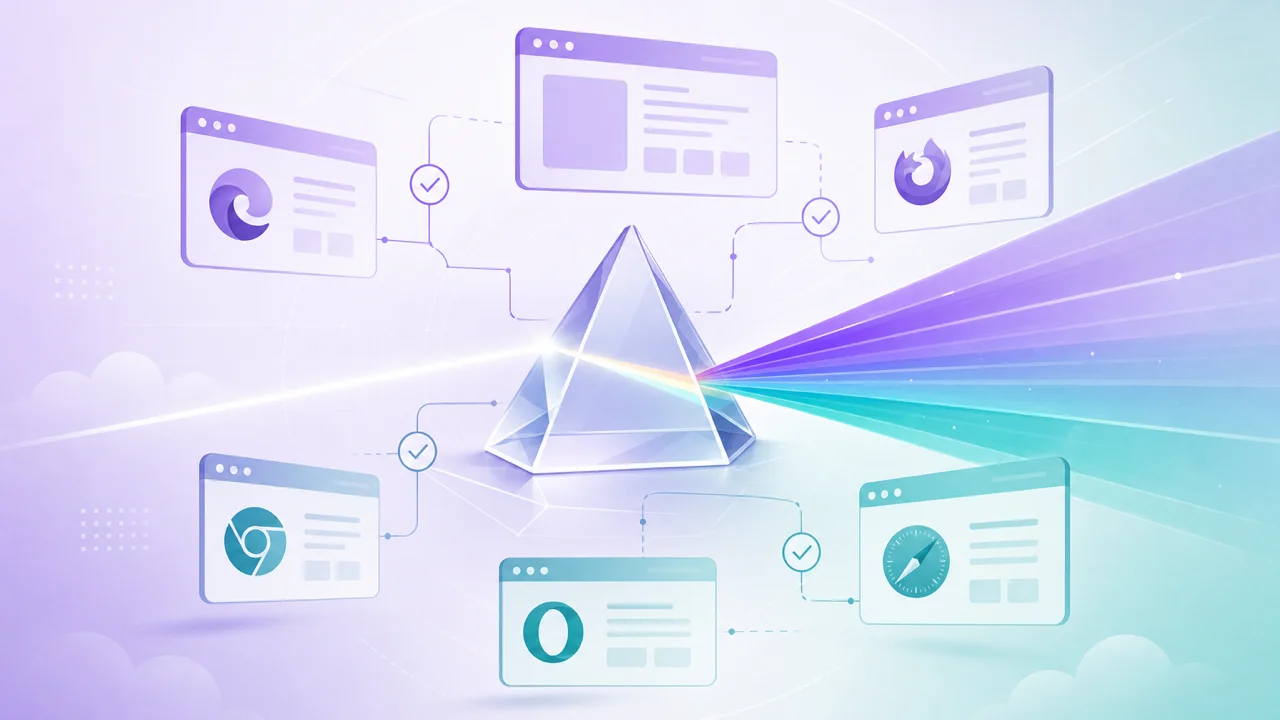
Quick Answer
Browser readiness assessment answers whether your current environment can run a specific web application. Instead of trusting version numbers, runtime capability checks validate WebGL, WebGPU, codec, and API dependencies your product actually calls at launch.
Formula
App Ready = Required Capabilities Pass in Active Browser Session
Introduction
This article is part of Browser Compatibilty Test WebGL, WebGPU, codecs, APIs. Open the compatibility test tool to validate WebGL, WebGPU, codec, and API readiness in your current browser.
Learn how browser readiness assessment validates application requirements, environment compatibility, and runtime capability before you deploy a modern web application.
Overview
Browser readiness assessment answers whether your current environment can run a specific web application. Instead of trusting version numbers, runtime capability checks validate WebGL, WebGPU, codec, and API dependencies your product actually calls at launch.
Learn how browser readiness assessment validates application requirements, environment compatibility, and runtime capability before you deploy a modern web application.
Application requirements validation maps product features to probe rows so QA and engineering share the same release bar.
Environment compatibility differs between developer laptops, managed corporate browsers, and mobile WebViews. A session on your machine is not proof every user can run the app.
Product owners often ask whether a demo environment represents real users. Until you run probes on managed laptops, mobile WebViews, and customer-reported browsers, the honest answer is unknown. Readiness assessment replaces assumptions with session evidence.
Most teams begin with a browser environment audit because it produces a feature inventory they can compare directly against the application's minimum requirements list.
- ●Browser readiness assessment for SaaS and web applications
- ●Application requirements validation against live sessions
- ●Environment compatibility across desktop and mobile targets
- ●Runtime capability checks before deployment sign-off
From Version Checks to Deployment Readiness
Version checks tell you which browser build is installed. Deployment readiness tells you whether graphics pipelines, media decoders, and platform APIs work in that session. A current Chrome build can still fail WebGL probes when IT disables hardware acceleration.
SaaS teams often discover this gap during UAT: the application loads on engineering laptops but fails for sales staff on managed Windows devices. Readiness probes surface those differences before customers report them.
Static documentation describes browser families in general terms. Live probes describe the device on a user's desk, including driver quirks, codec licensing limits, and policy blocks that tables never capture.
Key Formula
Define required capabilities first: WebGL2 for 3D, specific codec tiers for streaming, Service Workers for offline modes, secure-context APIs for authentication.
Treat partial support as a product decision. Some teams ship reduced modes; others block launch until critical rows pass on Tier A browsers.
Weight blocker rows above optional enhancements in your internal policy. A failed WebGL2 row matters more when 3D is core than when it decorates a marketing hero.
When release day approaches, pair readiness results with cross-browser deployment validation so Tier A and Tier B browsers both have documented pass/fail evidence before production sign-off.
Teach support to request exported probe JSON alongside browser version numbers. That habit shortens triage when users report experiences that work on developer machines but not theirs.
App Ready = Required Capabilities Pass in Active Browser Session
- ●List dependencies your app calls at runtime, not every API in a support table
- ●Run identical probe scope on each browser in your matrix
- ●Attach environment metadata to every readiness export
- ●Re-validate after browser, driver, or policy updates
Step by Step
Follow this sequence when introducing readiness assessment to a team that previously relied on manual browser checks or static documentation alone.
-
1
Document application requirements
List graphics, media, storage, worker, and security APIs your product needs at first load.
-
2
Run readiness probes
Execute the compatibility test in each target browser with the same scope and filters.
-
3
Map passes to feature tiers
Full experience, reduced mode, or blocked with upgrade messaging per capability row.
-
4
Archive readiness reports
Export JSON or text summaries beside release tags for QA and support reference.
-
5
Gate production deploy
Block release when critical dependencies fail on supported browser tiers without approved fallbacks.
Practical Examples
A SaaS analytics dashboard requires WebGL2 for chart rendering. Readiness probes fail on managed laptops with blocked GPUs. The team ships a table-based fallback instead of a blank canvas.
A video platform validates H.264 and VP9 before enabling adaptive streaming. Safari passes H.264 but not VP9 in a given configuration, so the player selects a compatible manifest ladder automatically.
An internal admin portal assumed IndexedDB was universal. Probes on Firefox ESR in private browsing showed storage failures, so the team added session-storage fallback and updated help desk scripts.
Before a major launch, QA verified each requirement row against Safari and Chrome using identical standard-scope runs instead of relying on laptop-only smoke tests.
A fintech onboarding flow failed for enterprise users until readiness probes showed WebAuthn blocked on HTTP staging. Moving to HTTPS resolved the gap without application logic changes.
- ●Save readiness exports with each support ticket
- ●Map failed rows to fallbacks or upgrade paths
- ●Review examples in release retrospectives
FAQ
- FAQIs browser readiness the same as cross-browser testing?
- Readiness focuses on runtime capabilities your app depends on. Cross-browser testing also covers layout, CSS, and visual regression.
- FAQCan I test readiness without installing anything?
- Yes. The compatibility test runs entirely in your browser with no account or download required.
- FAQWho should run readiness checks?
- Developers during build, QA before release, and support when reproducing customer environments.
- FAQHow often should teams re-check readiness?
- Before each major release and after browser or OS updates on Tier A platforms.
- FAQDoes readiness guarantee performance?
- No. It confirms capabilities exist. Performance testing remains separate from deployment validation.
- FAQWho should own readiness assessment?
- Engineering defines required probes, QA runs matrices before release, and support uses exports when reproducing customer environments.
- FAQShould readiness block every deploy?
- Block when critical rows fail on Tier A browsers without approved fallbacks. Optional gaps can ship with degraded modes if product accepts the risk.
Conclusion
Browser readiness assessment turns the question can my browser run this web app into verified evidence before production release.
Document requirements, run probes on real target browsers, and attach exports to release reviews so deployment decisions stay objective.
Start with the capabilities your product truly needs, export results for every supported browser, and teach support to request probe JSON alongside version numbers.
Run Readiness Test